

In short: Before episode one, settle three things: a show name people can find and spell, square cover art that reads at thumbnail size, and a short trailer that says what the show is for. Apple prefers cover art at 3000 by 3000 pixels, in PNG or JPG, with no transparency. Check the name is free before you commit to it.
Three things are hard to change once a podcast is out: the name, the cover and the first impression a trailer makes. Settle all three before you record episode one. Each one is cheap to fix now and expensive to fix once listeners, platforms and links have started to point at the old version.
Name
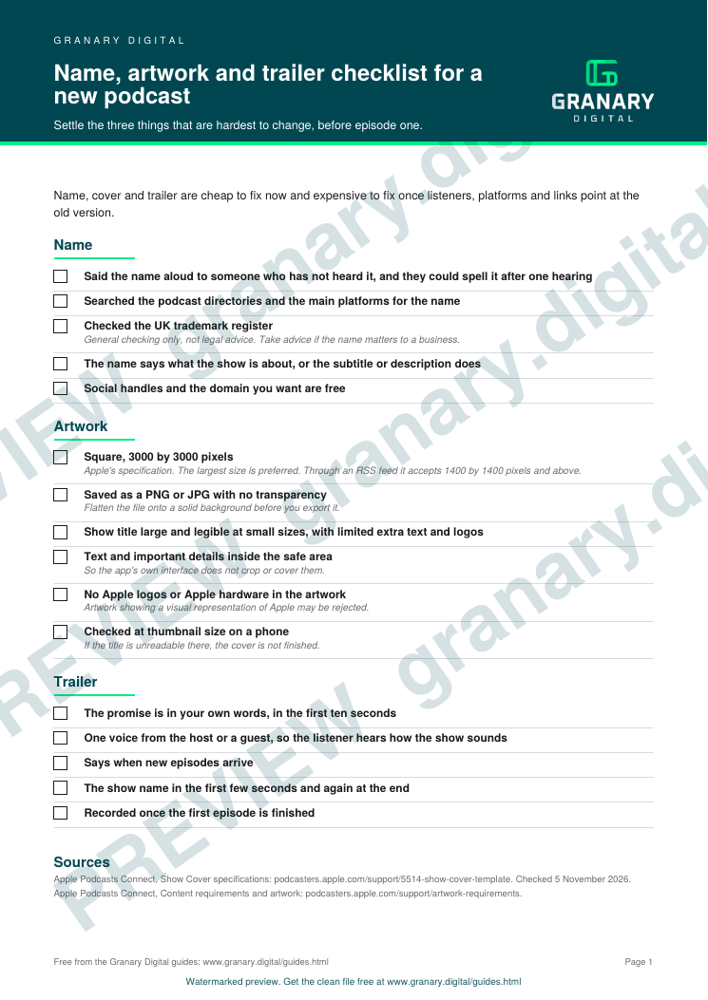
- Say the name out loud to someone who has not heard it. If they cannot spell it after one hearing, a listener searching for it will struggle too.
- Search the podcast directories and the main platforms for the name. Check the UK trademark register as well. This is general checking, not legal advice, so take advice if the name matters to a business.
- Make the name say what the show is about, or let the subtitle or description do that. A search for the topic should find the show.
- Check that the social handles and the domain you would want are free.
Get the checklist
The preview is free to look at and print. For the clean file, without the watermark, put your email in and we will send a download link straight away. You also join From the Barn, our monthly studio email, which you can leave whenever you like.
Open the watermarked preview (PDF)
Done. The download link is on its way to your inbox and works for 7 days. If it has not arrived in a few minutes, check your spam folder.
Artwork
Apple publishes specifications for show covers, and they are the ones to check against. The points that matter for a checklist are these:
- The cover is square. Apple prefers 3000 by 3000 pixels. The smallest size it accepts through an RSS feed is 1400 by 1400 pixels.
- Save it as a PNG or JPG. Cover art cannot contain transparency or an alpha channel, so flatten the file onto a solid background before you export it.
- Make the show title large and legible at small sizes, and limit extra text and logos.
- Keep text and important details inside the safe area, so the app's own interface does not crop or cover them.
- Do not include Apple logos or hardware. Artwork that shows a visual representation of Apple may be rejected.
Check the finished cover at thumbnail size on a phone. If the title is unreadable there, the cover is not finished.
Trailer
A trailer is a short episode or clip that tells a new listener what the show is for and who it is for. It does not need to be polished, but it must be honest about what the show will be.
- Write the promise in your own words, in the first ten seconds.
- Include one voice from the host or a guest, so the listener hears how the show sounds.
- Say when new episodes arrive.
- Put the show name in the first few seconds and again at the end.
A worked example
A fictional show called Harbour Notes, about small boatyards, checks its name first. It searches the directories, finds a show with a similar title, and changes to a name that says the subject: Small Yard Talks. The cover is a square photograph with the title in large letters across the top, checked at thumbnail size. The trailer is a two-minute conversation with the presenter explaining who the show is for and promising a new episode each fortnight.
Common mistakes
- Cover art cropped for a landscape banner, so the title is cut off in the square format apps use.
- A photograph of the host with the title in small print in one corner.
- A trailer that is the first episode with no introduction at the start.
- A name built around a guest, a company or a place that might change.
- Leaving the trailer until after launch, when the first listeners have already arrived.
Recording the trailer
If you want the trailer recorded properly in one session, the Podcast Studio at the barn is one room with four set-ups and three 4K cameras. Solo sessions are from £108 an hour +VAT, and Classic is £395 +VAT per recorded episode, with the full price list on the podcast site. For what a produced episode contains, read what is in a produced podcast episode. For the whole first few months, the honest first 90 days guide sets out the order.
Sources
- Apple Podcasts Connect, Show Cover template and specifications, read 5 November 2026
- Apple Podcasts Connect, Content requirements and artwork, read 5 November 2026
Related guides
- Start a podcast: the honest first 90 days
- Podcast format chooser: interview, panel, solo or narrative
- Episode planner and run sheet
- Guest booking email and prep sheet
- All guides and tools
The picture at the top of this page is an illustration, not a photograph of a client or a real job.
Questions we get asked
What size should podcast cover art be?
Square. Apple prefers 3000 by 3000 pixels and accepts 1400 by 1400 as the smallest size through an RSS feed. Save it as a PNG or JPG with no transparency.
Can I change my podcast name after launch?
You can, but every listing and feed has to follow the change, and anyone who knew the old name has to find the new one. Settle it before episode one if you can.
What should a podcast trailer include?
A clear statement of who the show is for, a voice from the host or a guest, and when new episodes arrive. Keep it short and honest, and record it once the first episode is finished.
granary.digital · 01243 884993 · studio@granary.digital · The Old Grainstore, Adsdean, Chichester, West Sussex, PO18 9DN · Prices exclude VAT unless marked inc VAT