

In short: A lower third names a person or a place in the lower part of the frame. Keep all text inside the title-safe area, a margin that stays visible on most television sets, and the action-safe area for the picture. Build the lower third from one template with fixed positions, and check the result on a phone and a television before delivery.
What a lower third is for
A lower third tells the viewer who is speaking and why they matter, without a voiceover. It sits in the lower part of the frame, usually in two lines: the name, then the role or the place. It is shown when the person first appears and taken off after a few seconds.
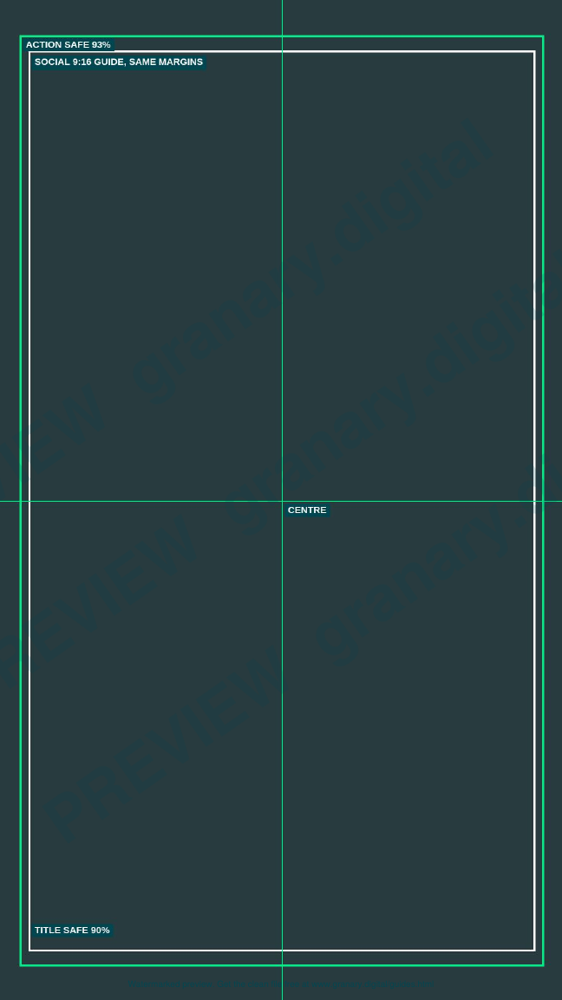
Get the template
The preview is free to look at and print. For the clean file, without the watermark, put your email in and we will send a download link straight away. You also join From the Barn, our monthly studio email, which you can leave whenever you like.
Open the watermarked preview (PDF)
Done. The download link is on its way to your inbox and works for 7 days. If it has not arrived in a few minutes, check your spam folder.
Build the template first
Make one lower third template with fixed positions, and copy it for each person. A template keeps the margin, the font and the timing the same across the whole film, which matters more than any single caption.
- Set the frame to the delivery size, then mark the title-safe and action-safe areas as guides.
- Place the name line above the role line, both left aligned in the lower left, inside the title-safe area.
- Set one typeface and two sizes, large enough to read on a phone. Use the typeface your client specifies.
- Animate the caption in and out with a short, even move. Keep the same timing on every caption.
- Save the template with the guides in place so the next edit starts inside the margins.
Title-safe and action-safe
Overscan is the part of the picture that some television sets cut off at the edges. Producers used two areas to allow for it. Title safe is the area where text is certain to stay visible on a reasonably maintained set. Action safe is the larger area where the picture stays in view, and nothing important should sit outside it.
The Wikipedia overscan article quotes BBC guidance of 3.5 per cent per side for action safe and 5 per cent per side for title safe. Other guides use different margins. Check the figures against your broadcaster's delivery spec, and when the spec says nothing, keep titles well inside the title-safe guide.
A worked example
A presenter is introduced as "Sam Okafor, head of operations" at the bottom left of a 16:9 frame. The name sits at the title-safe margin on the left, the role sits on the line below, and both finish before the centre. On a phone, the caption is shortened to "Head of operations" so it fits in one line at the same size. The second line stays inside the margin.
Common mistakes
- Placing the name at the very edge of the frame, where a set cuts it off.
- Using a different font or size for each caption, so the film looks put together in a hurry.
- Running the role onto two lines on a phone, where the second line falls below the safe area.
- Leaving the captions on screen for too long, so the viewer reads them twice.
- Building each lower third from scratch, so the margins drift between shots.
The delivery specs cheat sheet lists the frame sizes and the other checks to run before delivery, and the colour test patterns and bars page shows how to set up a monitor before you judge a caption. For credits, the credits order worksheet keeps the names in the right sequence.
Sources
- Wikipedia, Overscan, read 5 November 2026
Related guides
- Edit workflow: proxies, conform, delivery
- Delivery specs cheat sheet for broadcast and online
- Colour test patterns and bars
- Credits order worksheet (UK)
- Subtitles and captions: styles and file formats
- All guides and tools
The picture at the top of this page is an illustration, not a photograph of a client or a real job.
Questions we get asked
What is the title-safe area?
The title-safe area is the inner part of the frame where text is certain to be visible on a reasonably maintained set. Keep titles and captions inside it, and check the figure your broadcaster or platform gives.
What is a lower third?
A lower third is a caption in the lower part of the frame, usually a name on the first line and a role or place on the second. It is shown for a few seconds when a person first appears.
How do you check a lower third on a phone?
Export a test at the phone's aspect ratio, view it at actual size, and check that the name and role are still readable and inside the margins. Shorten the text if it runs close to the edge.
granary.digital · 01243 884993 · studio@granary.digital · The Old Grainstore, Adsdean, Chichester, West Sussex, PO18 9DN · Prices exclude VAT unless marked inc VAT